Checking stops in other locations
See live times for stops away from where you are by moving the map.
You can check stops anywhere, not just near you.
In the Stops tab, drag the map at the top of the screen to a new area. Pinch to zoom in and out. Once you move away from your current location, a small red Show stops near here box appears at the bottom of the map — tap it to load the nearest stops in that area.
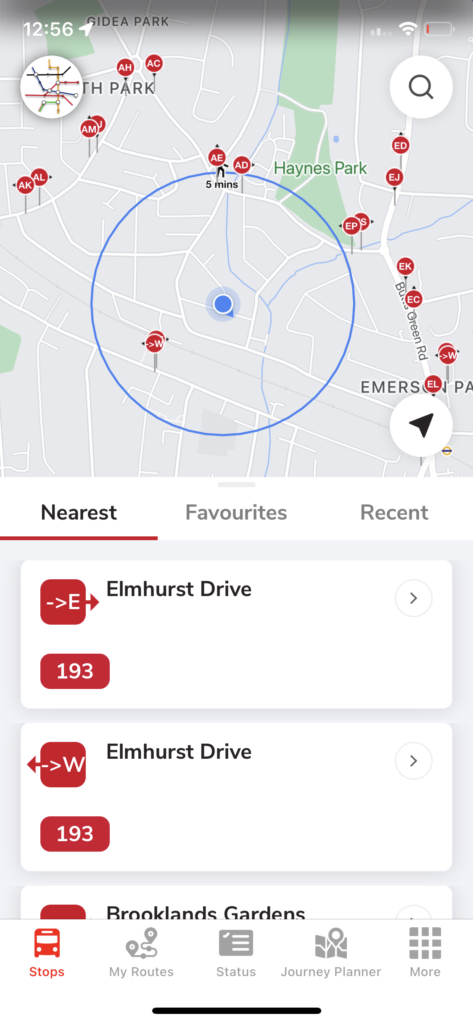
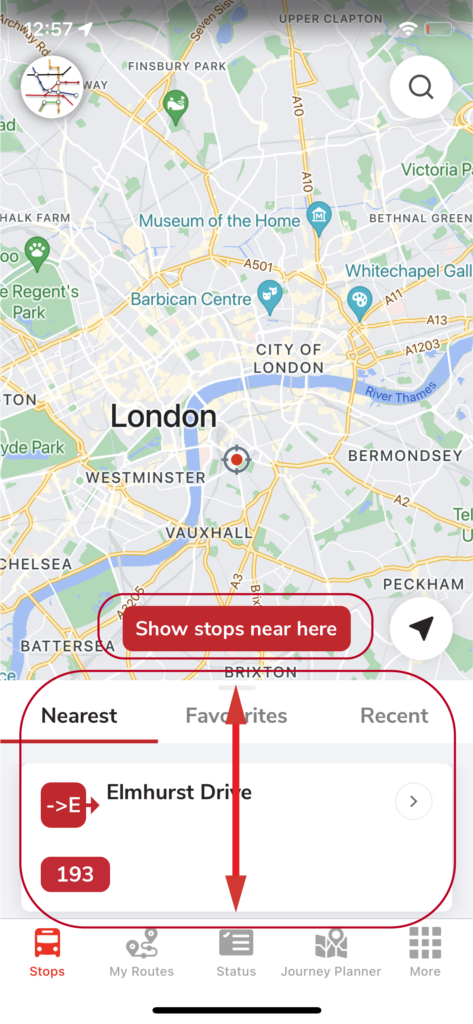
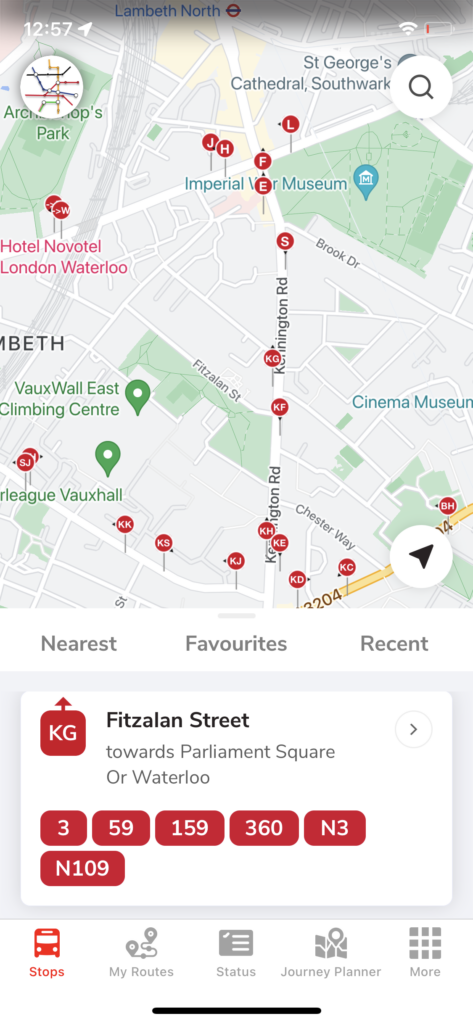
Tip: drag the stop-information panel up and down to make the map bigger or smaller.
Related articles
Finding stops, search, and favourites
Use the Stops tab to find nearby stops, search by place or bus number, and save favourites.
My Routes — saving and ordering favourite stops
Save the stops you use most, reorder them, and switch between combined or individual bus times.
Planning a journey
Plan A-to-B journeys, set home and work, filter by accessibility, and see a step-by-step breakdown.
Service status, Oyster, and travel info
Check line status across tube, rail, tram and river, view your Oyster balance, and find top-up locations.
Didn’t answer your question?
Contact support