Connection error / no internet
Fix "Please check your network connection" and "No connection" errors.
If you see "Please check your network connection (Retry)" or "No connection", try these in order:
- Make sure your phone isn't on airplane mode.
- Connect to Wi-Fi, 5G/LTE, or 3G.
- Restart the app.
- Make sure you have the latest version of Bus Times.
- Update your operating system.
- Wait 1–2 minutes and tap Refresh again.
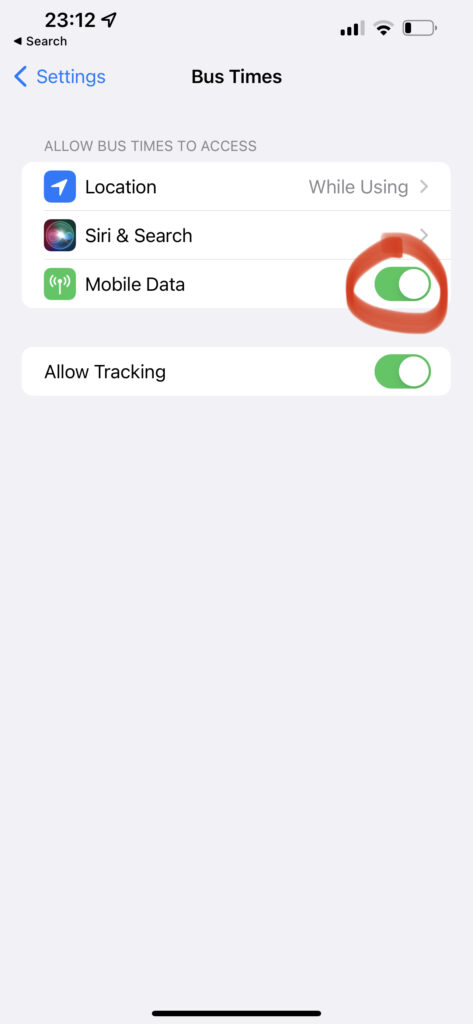
Check data access for Bus Times (iPhone)
- Open your device Settings.
- Tap Cellular / Mobile Data.
- Find Bus Times under the app list.
- Make sure its toggle is on.
On Android, check Settings → Apps → Bus Times → Mobile data and ensure background data is allowed.
Live times need a connection, but saved stops keep their last known data — see Does it work offline?. Still stuck? Contact us.
Related articles
Didn’t answer your question?
Contact support