Getting started with Bus Times
Install the app, pick your region, and see live bus times in under a minute — no account needed.
Welcome to Bus Times. Here's everything you need to get going.
1. Download the app
Bus Times is free on iPhone, Android, and Huawei devices. See Download & supported devices for the store links, or open the web app in any browser.
2. No account required
You don't need to sign up or log in. Open the app and you're ready — your saved stops and routes live on your device.
3. Choose your region
The first time you open the app, set your region under the More tab → Your region. Bus Times covers London and cities across the UK.
4. See live times
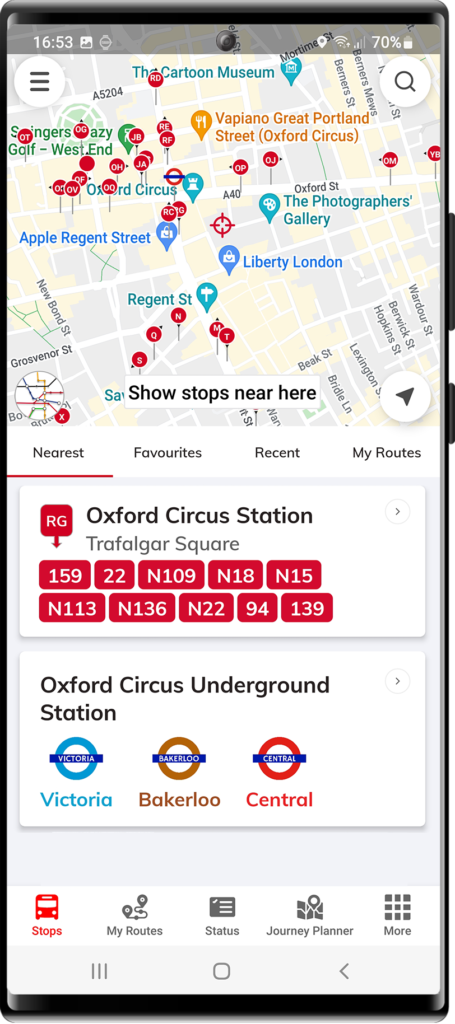
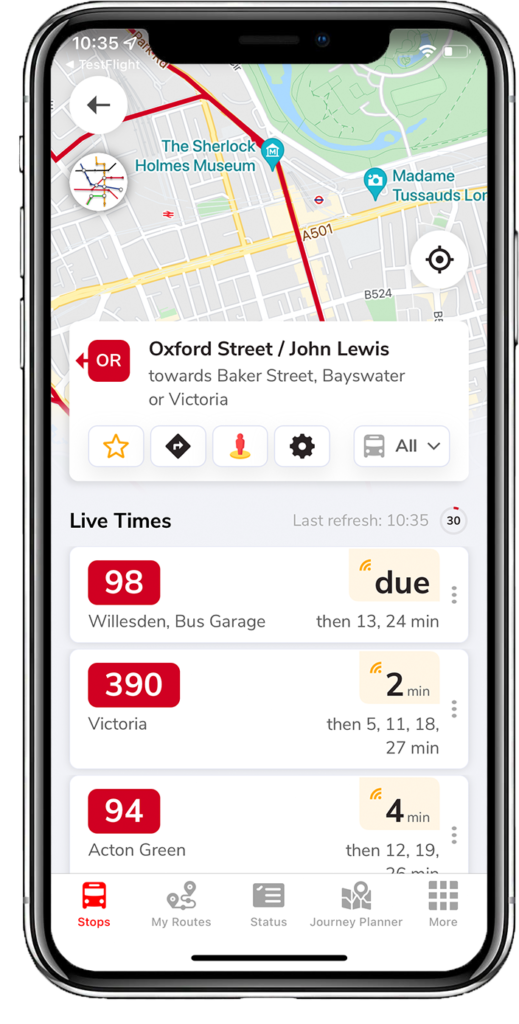
Tap the Stops tab. The app shows nearby stops on a map (turn on location services for this). Tap any stop to see live arrival countdowns for every bus that stops there.
5. Save your regular stops
Tap the ☆ star on a stop to add it to Favourites, or build a list under My Routes so your morning and evening stops are one tap away.
That's it. For the detail on each feature, browse Using the app.
Related articles
Didn’t answer your question?
Contact support